Home / Troubleshooting ladders, captures, and debug / Display filters for SIP and RTP
Display filters for SIP and RTP
Filter the capture with sip, rtp, and sip.Method, and confirm sip.CSeq.method in the SIP display-filter reference.
Learn in 5 minutes
- Use the display filters this lesson names
- Confirm a CSeq field in the Wireshark reference
- Read Call-ID from the packet you selected
Visual
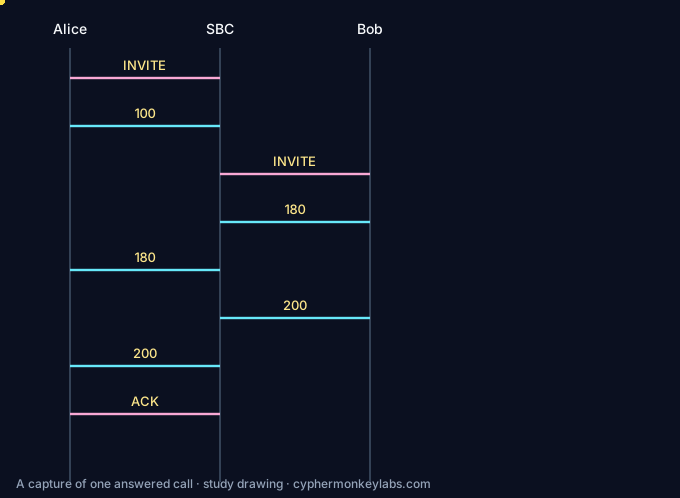
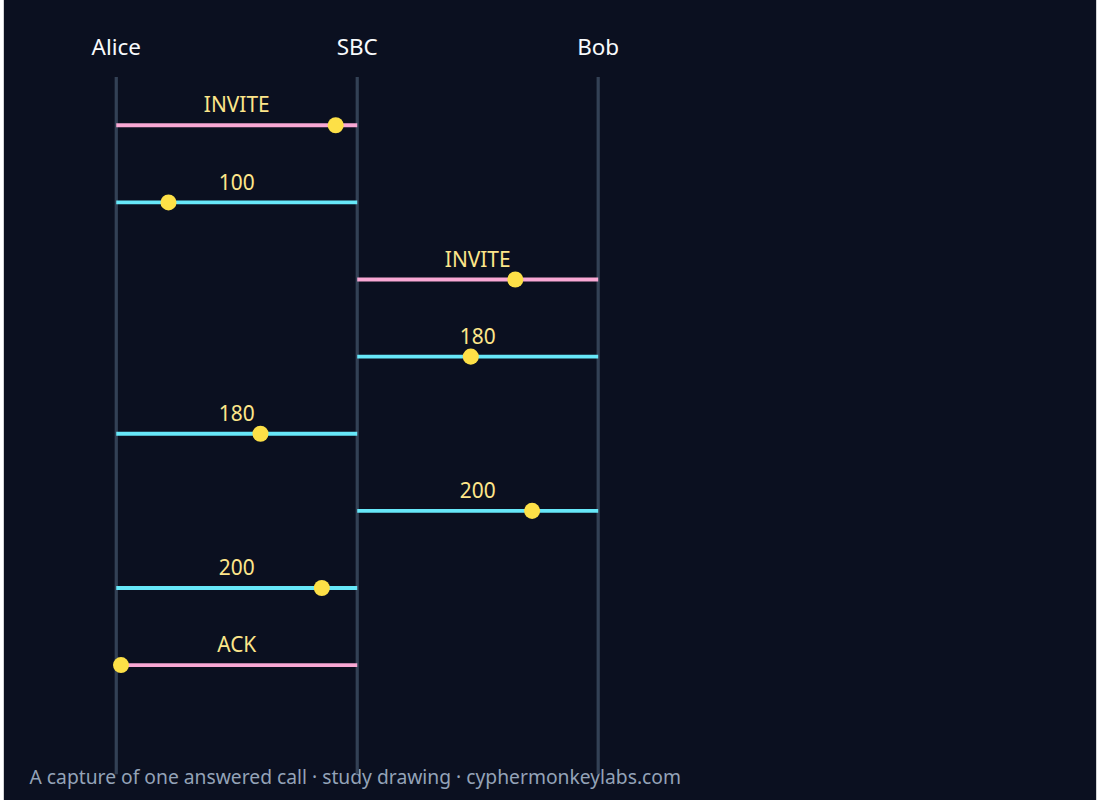
Display filters narrow what you see. They are not a second copy of the SIP RFC.
Worked example
Extract the INVITE from a text capture This is a synthetic text capture, not a customer packet. Extract the SIP message. On a real file you would display-filter with sip, and you would confirm sip.CSeq.method == "INVITE" in the Wireshark SIP display-filter reference.
- Extract SIP.
- Read Call-ID and CSeq on the INVITE.
- Note that 100 Trying is a separate message.
Fault
The ticket says the capture proves a missing ACK because the display filter sip.InventedAckFlag == 1 returned nothing.
Only sip, rtp, sip.Method, and a confirmed sip.CSeq.method belong in this lesson's filter list.
Quiz
Ecosystem
Glossary, sister systems, and the integration seam for this room.
E911 / emergency calling Location has to ride with the call. RFC 6881 is the BCP, RFC 6442 carries location in SIP, and the FCC MLTS page states Kari’s Law and RAY BAUM’s Act obligations for multi-line systems.
Sources and go deeper
- Wireshark SIP display filter reference — last checked 2026-10
- Wireshark RTP display filter reference — last checked 2026-10
- RFC 3550 — last checked 2026-10
- RFC 3264 — last checked 2026-10
- RFC 3261 §8 — last checked 2026-10
- RFC 6026 — last checked 2026-10