T1 · T1-R02 · Zoom Workplace
Zoom Phone developer paths
The page says you can integrate communication features into apps, including contact center workflows and CRM calling, automate voicemail handling and call processing, and manage users and devices programmatically. Those are job names, not a configuration export from a tenant.
Learn it in 5 minutes
- The Zoom Phone developer page is written for admins who set up Zoom Phone and for developers who build apps.
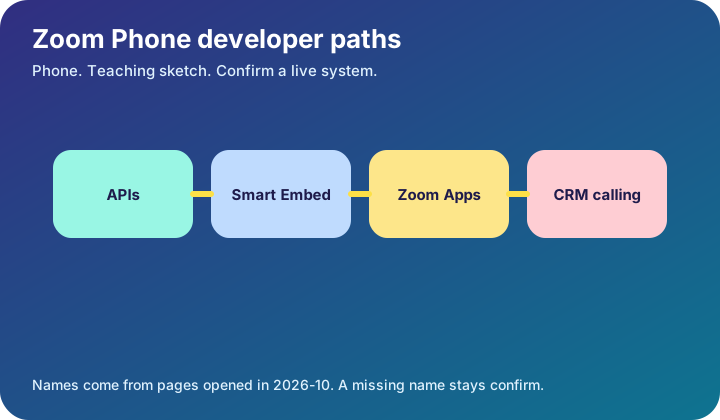
- It names three integration options: APIs and webhooks, Smart Embed, and Zoom Apps for Phone.
- APIs and webhooks are described for programmatic access and real-time events.
- Smart Embed places a Zoom Phone widget in a web application.
- Zoom Apps for Phone run inside the Zoom desktop client.
Visual
Count the boxes: 4. Each label is a name from a page or a study label marked on the drawing.
Flow
What is going on
The page says you can integrate communication features into apps, including contact center workflows and CRM calling, automate voicemail handling and call processing, and manage users and devices programmatically. Those are job names, not a configuration export from a tenant.
Smart Embed is the short path when an internal tool needs calling without a custom softphone. Zoom Apps for Phone stay inside the desktop client, which the page suggests for workflows and knowledge bases that should not leave Zoom.
None of those sentences include a port list, a codec list, or a price. If a design needs those, the row stays confirm until you open the guide for your release.
Worked example
A CRM team wants click-to-call. Write which of the three options you are choosing and why, using only the descriptions on the developer page. Then write the word confirm next to any port, codec, or license count you have not opened.
Quiz
1. Smart Embed is described as a widget inside a web application.
True. That is the description on the Zoom Phone developer page.
2. The Phone developer page publishes a codec price list.
False. It describes integration options. Prices and codecs were not on the text that opened.
Ecosystem
Sister pieces sit on the ecosystem page: the glossary, the mind map, the integration map, and the bridges.
- Smart Embed — The Zoom Phone option that embeds the phone widget in a web application.
- Zoom App for Phone — An app that runs inside the Zoom desktop client, as the developer page describes it.
Config. Pick one integration option and write the audience: admin, or developer building an app.
Troubleshooting. If CRM calling fails, separate the widget (Smart Embed) from the API. The page treats them as different options.
Bridge. The same page names contact center workflows as one reason to integrate Phone. The Contact Center track is the next room, not the same API.
Mind map, sister technologies, and future hooks live on the ecosystem page.
Sources and go deeper
Opened 2026-10. A row marked confirm has no link, because that page was not verified.
- Zoom. Zoom Phone developer documentation last checked 2026-10
- Zoom. Zoom API reference last checked 2026-10
- Zoom. Zoom Contact Center developer documentation last checked 2026-10
- Confirm. Zoom Phone port and codec matrix. confirm. Not on the developer page that opened. last checked 2026-10