T2 · T2-R05 · Zoom Contact Center
Three ways to put Contact Center in an app
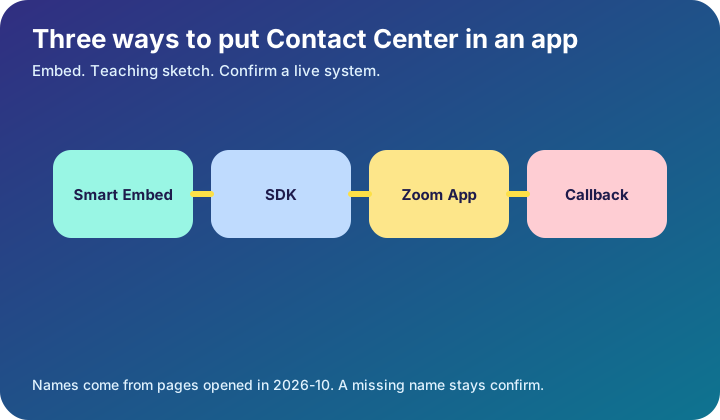
Read the best-for line before you pick a kit. Smart Embed keeps the agent in one internal app. The SDK is the path when you need more than a softphone and you will own the interface. A desktop Zoom App stays inside Zoom.
Learn it in 5 minutes
- Smart Embed places the agent UI in a web app, with little code, for internal tools.
- The Contact Center SDK is for a branded UI, including chat, video, or scheduled callbacks.
- Zoom Apps for Contact Center run inside the Zoom desktop app.
- The page suggests Zoom Apps for agent tools such as a knowledge assistant.
- These three options are not the same object as Zoom Phone Smart Embed.
Visual
Count the boxes: 4. Each label is a name from a page or a study label marked on the drawing.
Flow
What is going on
Read the best-for line before you pick a kit. Smart Embed keeps the agent in one internal app. The SDK is the path when you need more than a softphone and you will own the interface. A desktop Zoom App stays inside Zoom.
Scheduled callbacks are named only on the SDK line. Do not promise callbacks on Smart Embed unless you open a page that says so.
CRM and knowledge tools show up as reasons to embed, not as a finished connector. A named customer story was not opened in this session.
Worked example
An internal helpdesk wants agents to stay in one browser tool. Choose Smart Embed and write the page's reason. A public support portal that must look like the brand is the SDK case. Write confirm if someone asks for the callback API path.
Quiz
1. The SDK line mentions scheduled callbacks.
True. That phrase is on the Contact Center SDK description.
2. Smart Embed and the SDK are the same control.
False. The page gives them different best-for lines.
Ecosystem
Sister pieces sit on the ecosystem page: the glossary, the mind map, the integration map, and the bridges.
- Contact Center SDK — The option the page describes when you want full control of the UI.
- Scheduled callback — A capability named on the SDK line, not on every embed option.
Config. Write the option name and the best-for sentence from the page.
Troubleshooting. If agents see a consumer chat skin, you likely shipped the wrong kit. Compare the three descriptions again.
Bridge. Phone Smart Embed and Contact Center Smart Embed are both called Smart Embed. Cite the page so the next reader knows which one.
Mind map, sister technologies, and future hooks live on the ecosystem page.
Sources and go deeper
Opened 2026-10. A row marked confirm has no link, because that page was not verified.
- Zoom. Zoom Contact Center developer documentation last checked 2026-10
- Zoom. Zoom Phone developer documentation last checked 2026-10
- Zoom. Zoom Contact Center product page last checked 2026-10
- Confirm. A named Zoom Contact Center customer quote. confirm. No customer story was opened. last checked 2026-10